Essential Korea Travel Apps, Starting with Kakao and Naver
목차
When traveling in Korea, smartphone apps aren’t optional—they’re essential gear. Korea is one of the only developed countries where Google Maps doesn’t work properly, so the app lineup you rely on back home won’t necessarily carry over. This guide covers only the apps foreign travelers can actually use—maps, taxis, trains, transit cards, translation, payments, and food delivery—along with specific instructions and limitations. Since app features and policies are an area that changed dramatically between 2023 and 2026, every detail in this article reflects information verified as of June 2026.
Key Takeaways (as of June 2026)
- Maps: Naver Map is a must; Google Maps is for backup only (limited walking and driving navigation in Korea)
- Taxis: You can use your home-country Uber app as-is (since 2024). An alternative is k.ride, designed for foreigners
- Transit cards: As of July 2025, iPhones can add T-money to Apple Wallet. For overseas Android phones, a physical card is recommended
- Trains: KorailTalk supports English, but if your overseas card fails, the official website is the fallback
- Translation: Papago—its menu image translation (OCR) is the killer feature
- Prep: It’s safest to install and sign up for the main apps before you leave home
Maps and Navigation: Naver and Kakao First, Google as Backup

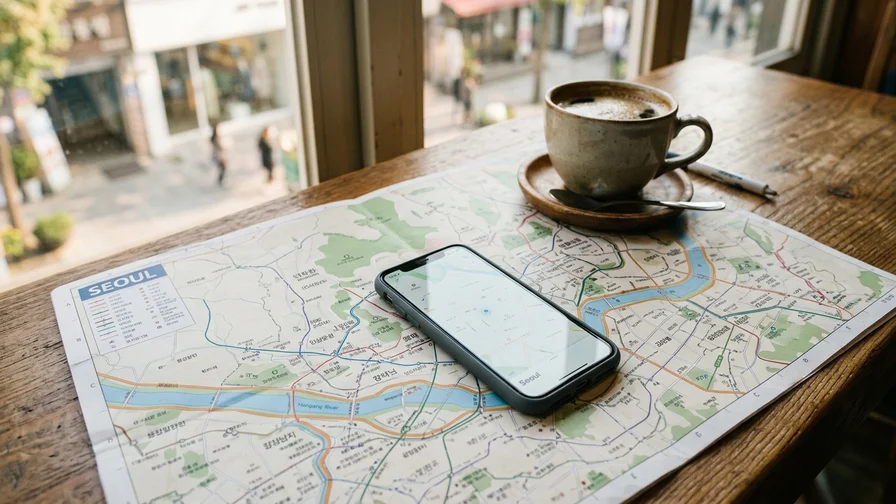
Google Maps has limited functionality in Korea. Due to regulations restricting the export of map data abroad, walking directions and car navigation are either unavailable or highly inaccurate. You’ll need to install a local Korean map app—either Naver Map or KakaoMap.
Naver Map: The Most Accurate Choice in Korea
Naver Map is the map app with the most users and the most data in Korea. The latest information on restaurants, cafés, shops, and tourist spots (opening hours, menus, visitor reviews) is reflected most accurately here.
- Key features: Real-time public transit directions (including bus arrival info), subway maps with exit details, walking and cycling directions, car navigation, and place search and saving
- English support: The interface and main features are available in English. You can search by English names, but searching with Korean names returns more results
- Highlights: Real-time bus arrival info at stops is remarkably accurate. The feature that tells you which subway exit is closest to your destination is essential for travelers
Editor’s tip: If you don’t know the Korean name of a place you’re looking for, type the English name into the translation app Papago, convert it to Korean, then copy and paste that result into the Naver Map search bar. For example, searching for “경복궁” is more accurate than “Gyeongbokgung Palace.”
KakaoMap: A Powerhouse for Public Transit Directions
KakaoMap is one of Korea’s two major map apps, alongside Naver Map. Its interface is intuitive, and it integrates well with Kakao’s other services (Kakao T, KakaoTalk).
- Key features: Public transit directions, real-time bus info, subway maps, and place search
- English support: Like Naver Map, its main features are available in English, though searching in Korean works better
- Highlights: The “Subway Map” tab lets you view the entire metropolitan-area network at a glance and find routes by setting your departure and arrival stations. Estimated travel time, fares, and transfer info are clearly displayed
Google Maps: Use Only as Backup
Google Maps can’t properly handle walking or driving directions within Korea. That said, it’s useful as a backup for checking your saved list of places or understanding how cities relate to one another geographically. Public transit routing is partially available, but it’s less accurate than Naver Map, so it’s best not to rely on it.
Transportation: Apps for Taxis, Trains, Subways, and Transit Cards

Korea’s public transportation is among the best in the world. Within cities, subways and buses are most efficient; for travel between cities, the KTX is the way to go. The app situation for each mode of transport became much more favorable to foreigners between 2023 and 2026, so you can forget the outdated info (e.g., “foreigners can’t use taxi apps”).
Taxis: Use Your Home-Country Uber App As-Is (since 2024)
This is the biggest change. In March 2024, Korea’s taxi-hailing service UT rebranded as Uber Taxi, so foreign travelers can now hail licensed taxis in Seoul and other major cities using the same Uber app, account, and already-registered overseas card from back home. No separate sign-up, Korean phone number, or card re-registration is needed at all. Within a year of the rebrand, foreign usage rose by roughly 80%—it’s the most friction-free option.
Kakao T and k.ride: Korea’s National Taxi App and Its Foreigner Edition
Kakao T is the hailing app that catches the most taxis in Korea. In the past, a Korean phone number and Korean card were practically required, making it hard for foreigners to use—but things are different now.
- Using Kakao T directly: You can sign up with an overseas phone number. Registering an overseas-issued card for auto-payment can fail if Korean identity verification isn’t possible, but in that case you can set your payment method to “Pay directly (pay the driver)”—you pay with a physical card or cash when you get out, so you can use all the hailing features without registering a card
- k.ride: A foreigner-only taxi app launched by Kakao Mobility in 2024. You can sign up with a Google or Apple account and register an overseas-issued card for auto-payment. Chats with drivers get automatic translation in around 100 languages, and the pool of taxis it hails is the same as Kakao T. Check availability by searching “k.ride” in your country’s app store
- Riding without an app: In big cities, you can flag down a taxi with its “vacant” light on right from the street, and taxi stands in front of train stations, terminals, department stores, and large hotels—or having the hotel front desk call one—remain valid options
| Type | Description | Fare (Seoul, as of June 2026) |
|---|---|---|
| Standard mid-size taxi | The most common orange or silver taxis. A 20% late-night surcharge applies (22:00–04:00), and a 40% surcharge during the 23:00–02:00 window | Base fare 4,800 won |
| Deluxe taxi (black) | Black premium taxis. The base fare is higher, but there’s no late-night surcharge | Base fare 7,000 won |
KorailTalk: Everything for Booking Trains
KorailTalk is the official app of the Korea Railroad Corporation (KORAIL), where you can book all train tickets including KTX, ITX-Saemaeul, and Mugunghwa-ho.
- Key features: Checking train schedules, selecting seats, booking and paying for tickets, and viewing mobile tickets
- Foreigner-friendliness: Supports English, Japanese, and Chinese interfaces. Non-member booking is possible without signing up
- Note on overseas card payments: It does support overseas-issued Visa and Mastercard payments, but there are reports of failures or freezes at the payment step due to verification issues. If payment is blocked in the app, try the “Overseas Credit Card” payment route on the official booking site letskorail.com
- KORAIL PASS: If your itinerary involves touring several cities by train in a short period, the KORAIL PASS—a period-based unlimited pass exclusively for foreign passport holders—can both avoid payment friction and work out cheaper. It’s available at letskorail.com
- How to use: Switch the Language setting to English, then select your Departure station, Arrival station, and date and tap “Inquire” to see schedules. Select a train and pay, and the mobile ticket is saved in the app
Subway Korea: The Most Intuitive Subway Map
The subways in major cities like Seoul and the metropolitan area, Busan, and Daegu have very complex networks. Dedicated subway apps like “Subway Korea” make checking maps and finding routes simple.
- Key features: Viewing the full network map, guidance on the fastest and fewest-transfer routes when you set departure and arrival stations, estimated travel time and fares, real-time train positions, and first/last train times
- Highlights: It fully supports English, and its detailed exit info makes it easy to find the exit number leading to a specific building or attraction
Mobile T-money: A New Option for iPhone Users
T-money is Korea’s transit card used in subways, buses, taxis, and convenience stores. As of July 22, 2025, you can add a prepaid T-money to Apple Wallet on iPhone and Apple Watch—just tap your phone on the reader, no physical card needed.
- Issuing on iPhone (works for foreigners): Download the “Mobile Tmoney” app from the App Store, issue a transit card without logging in, then tap “Add to Apple Wallet.” The route to issue a new card directly within Apple Wallet requires a Korean Hyundai Card registered to Apple Pay, so it’s blocked for foreigners
- Topping up: In-app top-ups are for Korean cards only, so the surest method for foreigners is to top up with cash at subway station kiosks or convenience stores
- Note for overseas Android phones: Android devices released abroad generally don’t work with Mobile T-money due to NFC secure-element compatibility issues. In that case, a physical T-money card sold at convenience stores or the WOWPASS below is the answer
Communication and Information: Translation, Messaging, and a 24-Hour Helpline
Breaking through the language barrier and getting the information you need is the key to a successful trip. The apps and services below will help you communicate in Korea.
KakaoTalk: Koreans’ Essential Messenger
KakaoTalk is the national messenger used by over 90% of Korea’s population. Travelers won’t often need to message people directly, but it’s handy in certain situations.
- Use cases:
- Restaurant waitlist alerts: Some popular restaurants let you register on the waitlist on-site by entering your phone number, then notify you of your turn via KakaoTalk
- Booking confirmations: Some tour products or accommodations send booking confirmations and guidance messages through KakaoTalk
- Installation and sign-up: You can sign up with SMS verification using your home-country phone number—no Korean number required. That said, some add-on features that require Korean-style identity verification aren’t available to short-term travelers
Papago: Naver’s Smart Translator
Papago is a neural-network-based translation app developed by Naver. It earns the highest marks for Korean translation accuracy, making it an essential app for traveling in Korea.
- Text translation: Type a sentence and it translates into natural Korean
- Voice translation: Speak into the mic for real-time interpretation. Handy for ordering at restaurants or asking for directions
- Image translation (OCR): Its most powerful feature. Photograph a menu, sign, or cosmetics label with your camera and it automatically translates the text in the image
Editor’s tip: When translating a restaurant menu, photographing menu items one at a time rather than the whole thing at once yields higher recognition and translation accuracy.
1330 Korea Travel Helpline
1330 is a free tourist information phone and chat service operated by the Korea Tourism Organization. It’s available 24/7, year-round, with multilingual support including English, Japanese, and Chinese. You can get help with almost any issue that comes up during your trip.
- By phone:
- Within Korea: dial 1330 with no area code
- From abroad or on a roaming phone: +82-2-1330
- By chat: Chat consultation is available on the Korea Tourism Organization’s official site VisitKorea or app
- Services offered:
- Tourist information (attractions, transport, lodging, restaurants)
- Interpretation services—three-way calling for interpretation when you can’t communicate with a taxi driver or restaurant staff
- Filing tourist complaints
- Connecting you to relevant agencies like the police or fire department in emergencies
1330 isn’t an app, but it’s the single most important travel resource whose number you should absolutely save.
Payments, Delivery, and Connectivity

Payment Apps: Overseas Cards via Apple Pay and WOWPASS
Card use is widespread in Korea, and physical cards work in most places. Mobile payments are a more mixed picture (as of June 2026).
- Overseas-issued cards + Apple Pay: Visa and Mastercard cards you’ve registered to Apple Pay back home work as-is at Korea’s NFC contactless terminals. They work reliably at all convenience store brands (CU, GS25, 7-Eleven, emart24, etc.), Starbucks, major department stores, and Costco. However, NFC terminal adoption is only around 10% of all merchants, so they won’t work at many neighborhood restaurants and small shops—always carry a physical card and a bit of cash too
- Samsung Pay: The claim that Samsung Pay works on nearly all terminals in Korea applies to Korean-issued cards. Foreign cards registered to an overseas version of Samsung Wallet generally don’t work in Korea, so it’s best not to count on it
- WOWPASS: A prepaid card exclusively for foreign travelers. It’s issued instantly with your passport at kiosks in Incheon Airport and major subway stations, and you can top it up with cash in 15 foreign currencies including US dollars and yen. Since it’s a Korean-issued card, it works at merchants that reject overseas cards, and it has a physical T-money function on the back, doubling as a transit card (T-money balance top-ups require Korean won cash only). The official site is wowpass.io
- Naver Pay, Kakao Pay: These require a Korean bank account or Korean card, so they remain impractical for short-term travelers
Food Delivery Apps: Now Foreigners Can Order Directly Too
In the past, you couldn’t use delivery apps without a Korean phone number and Korean payment method, but the situation changed after 2024.
- Coupang Eats: Supports an English interface and accepts overseas-issued Visa and Mastercard payments. With real-time delivery tracking, it has the lowest barrier to entry for foreigners
- Baemin: Korea’s largest delivery app with the widest selection of restaurants. Since 2024, the barriers to foreigner sign-up and overseas card payment have dropped significantly. That said, much of the menu is in Korean, so pairing it with Papago’s image translation is the practical approach
- General tips: Set your delivery address to the hotel’s main entrance and write your hotel name and room number in English in the request notes. If your lodging is an officetel or guesthouse, check the shared entrance door code in advance
Connectivity (USIM/eSIM) and Pre-Departure Prep
You’ll need data to use the apps above. We recommend buying a Korean USIM or eSIM online in advance. The arrivals hall at Incheon International Airport has roaming centers for all three carriers—KT, SKT, and LG U+—so on-the-spot purchase and activation are also possible.
Good to finish before departure (checklist):
- Install Naver Map, Papago, and KorailTalk—you’ll need them right away at the airport on arrival
- Check the Uber app—if your account and card are already registered, it works in Korea with no extra setup. If you’re coming from a country that doesn’t use Uber, install k.ride and register your card in advance
- iPhone users: issue a transit card in advance via the Mobile Tmoney app and add it to Apple Wallet (top up with cash at a subway station or convenience store after arriving in Korea)
- Buy an eSIM and install the QR code—so your data turns on the moment you step off the plane
App policies and fees keep changing, so it’s safest to double-check the latest details on the official app store listings and the official sites above right before your visit.
App Summary Table (as of June 2026)
| App Name | Main Use | Key Points for Foreign Travelers |
|---|---|---|
| NAVER Map | Maps, navigation | Most accurate place info, real-time bus arrival alerts |
| KakaoMap | Maps, navigation | Intuitive subway maps and route search |
| Uber | Taxi hailing | Use your home account and overseas card as-is—the most friction-free |
| Kakao T / k.ride | Taxi hailing | Largest taxi pool. If an overseas card won’t register, choose “Pay directly”; the foreigner edition is k.ride |
| KorailTalk | Train booking | English support, non-member booking. If overseas card payment fails, use letskorail.com |
| Subway Korea | Subway | Detailed exit info, first/last train times |
| Mobile Tmoney | Transit card | Can be added to iPhone Apple Wallet (since July 2025), top up with cash |
| Papago | Translation | Image translation (OCR) for menus and signs |
| Coupang Eats | Food delivery | English support, overseas Visa and Mastercard payments accepted |
| WOWPASS | Payments, transit card | Foreigner-only prepaid card + T-money combo, issued at airport kiosks |
| 1330 (phone/chat) | Tourist info, interpretation | 24-hour multilingual interpretation and tourist information support |
Related Reads on This Topic
- First Time in Korea? A Pre-Departure Checklist Covering Visas, SIMs, and Payments
- Korea Travel Insurance: What Coverage to Get and at What Price
- Avoiding Faux Pas in Korea: Dining, Greetings, and Public Manners
- Feeling Sick? How to Navigate Korean Pharmacies and Pack a Medicine Kit
- Staying Connected in Korea: Choosing Between SIMs, eSIMs, and Pocket Wi-Fi